Navero in your browser
See the detail. Understand the bigger picture.
Give your portfolio room. Compare performance, read the context behind market moves and follow investment income from one browser workspace.
Available on the web. Coming soon to iPhone.
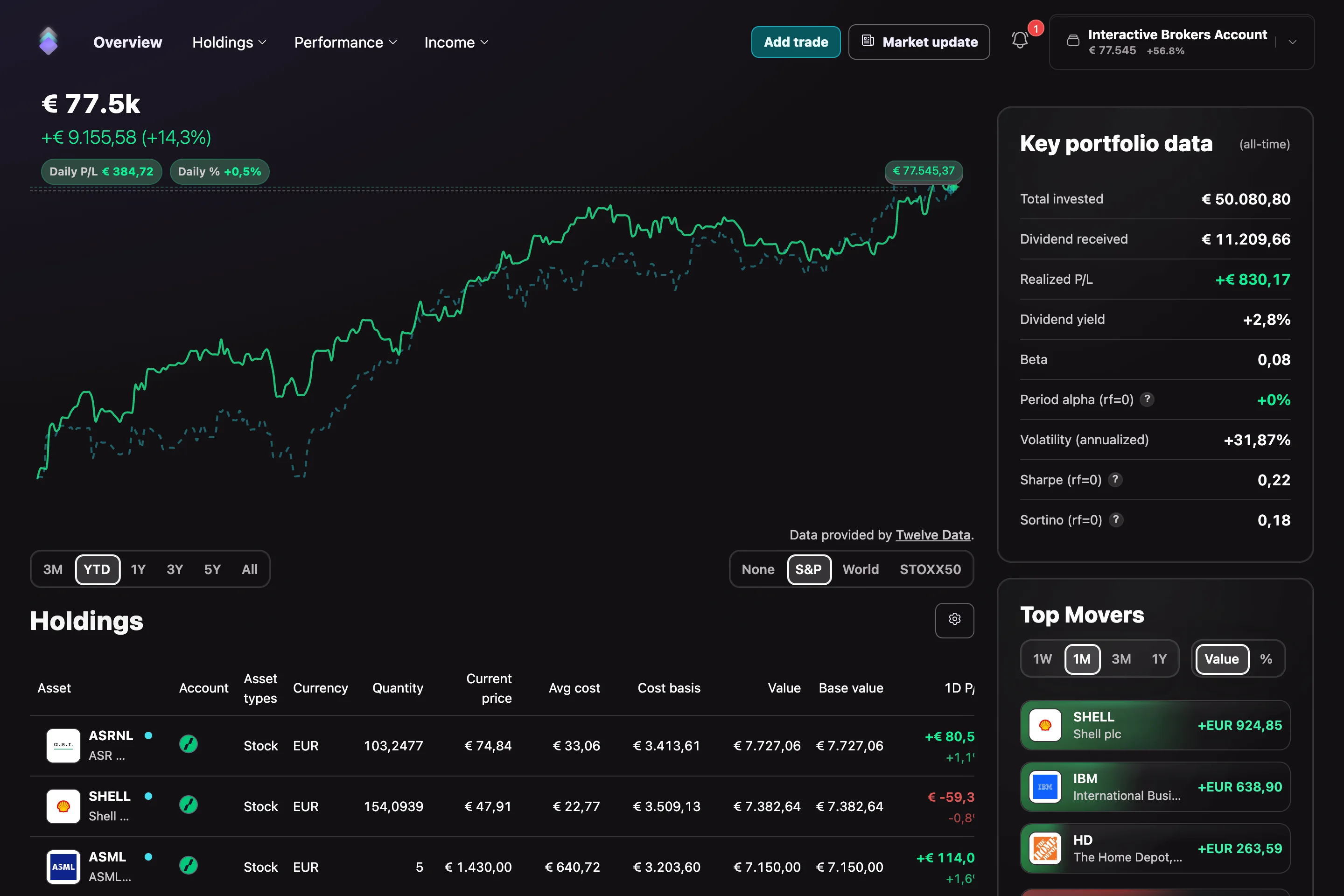
Understand performance
Put your returns in context.
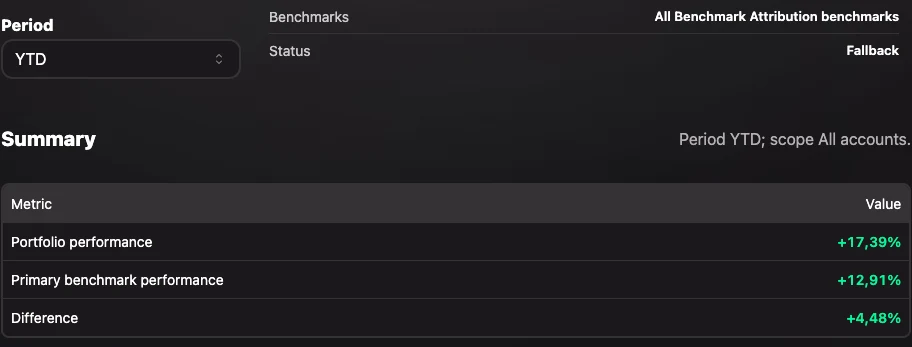
A return percentage is a starting point. Compare your portfolio with benchmarks and explore the account, holding or sector behind the result. The example shows the demo report’s fallback attribution view.
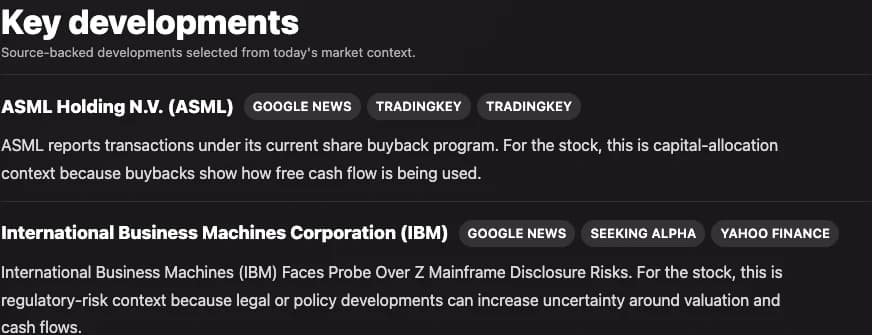
Market context
Less searching. More context.
Scan a briefing organised around market developments and companies in your portfolio. Source links give you a route into the underlying reporting. AI summaries can be incomplete or incorrect; check the sources.
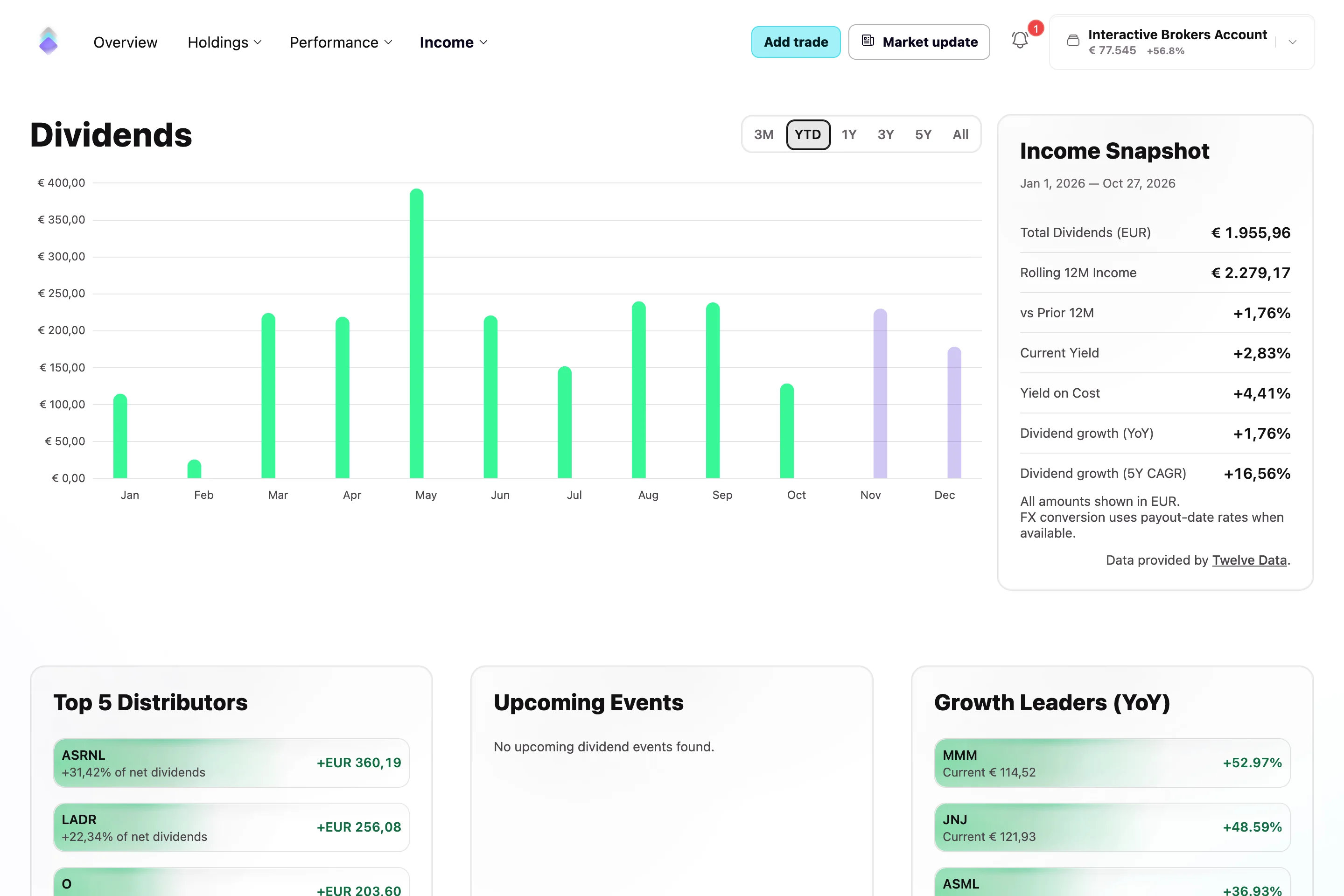
Investment income
See what your investments have paid.
Follow received dividends over time. Compare the months and open the payout history when you want to understand the payments behind the chart.
Make space for a clearer portfolio.
Web plans are Basic, Advanced and Pro, with monthly or yearly billing. Compare included features and broker coverage on the pricing and integrations pages. Manage a web subscription through the web app; store subscriptions follow the relevant store’s terms.
Use the read-only demo when offered on the app’s entry screen to explore sample portfolios before setting up your own.